Easier shopping is here!

For those that wanted easier shopping, click on the shopping tab above or visit http://www.amychomas.com/

We are now taking credit card payments, or you can still use paypal! Any questions, you can send them to amyc222@yahoo.com

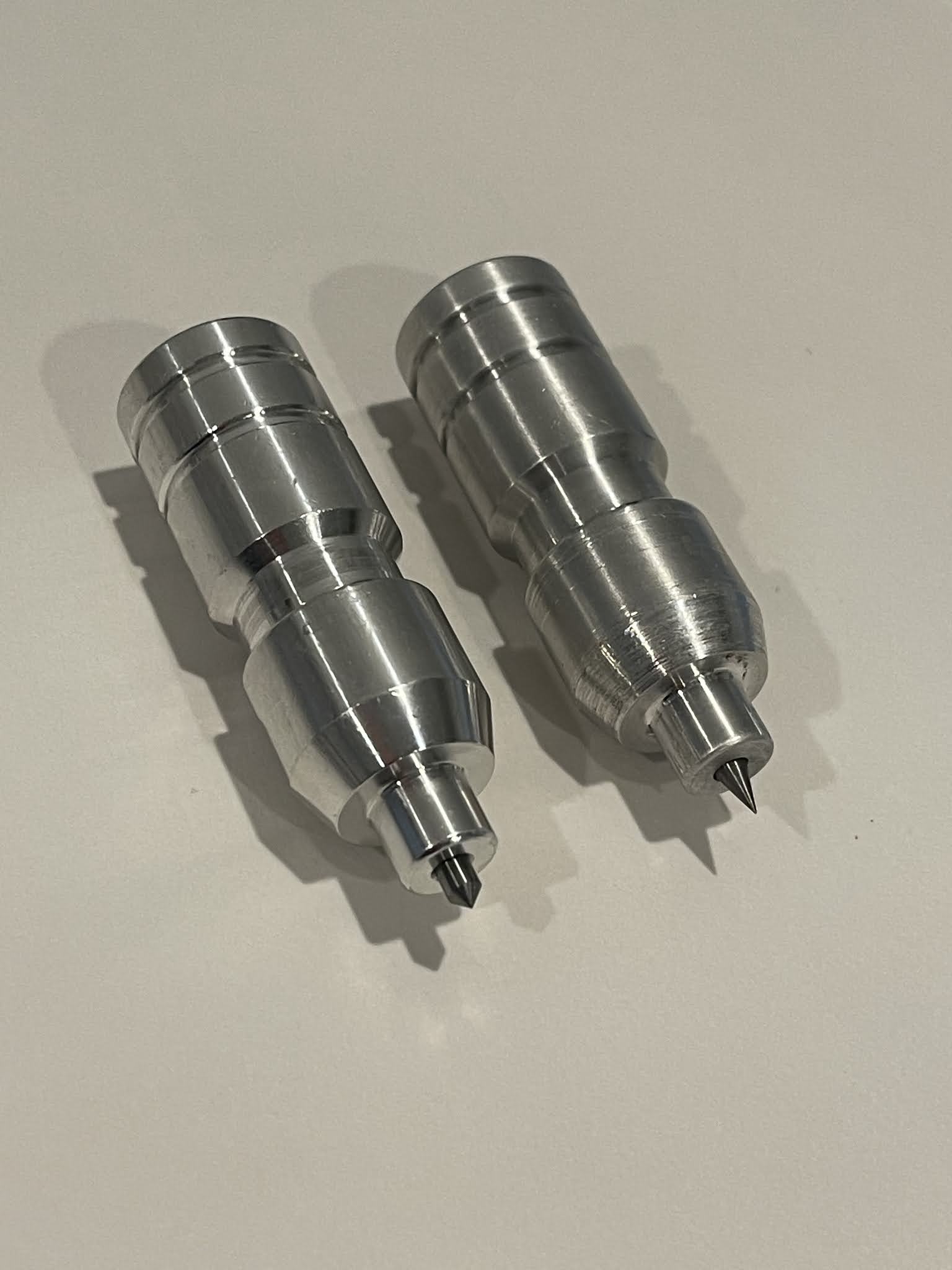
Want to learn how to use your new holders? Look to the right of my blog to see everything in categories!


Thursday, May 16, 2013

Track & Field with Chomas Creations adjustable marker holder

My oldest son is a runner, and his track event is hurdles.  I just love watching his passion for the sport, and wanted him to do the journaling for this page.  I added some lines right to my layout as well as the little hurdlers on the bottom that I traced in Studio.  I drew both with the Chomas Creations adjustable marker holder and a Sharpie liquid pencil (this is awesome for sketches!)  I have the hurdler file here if you are interested... hurdles
I added the journaling lines right to my background paper and let my son do the journaling!  Again this was done with the Chomas Creations adjustable marker holder and the Sharpie liquid pencil, I did it at the same time as the runners.


I made the title as well as bracket boxes (what are these things called anyways?) in Studio as well. 

Here is the finished layout!  Because I had a lot of pictures and some were a little blurry (hey he is a fast runner lol!) I made a collage.  The smaller the pics, the less you can tell they aren't perfect!

The coupon code nsd10 is still up and working for 10% off your purchase in the Chomas Creations store!  Just enter it at checkout!
Like what you see? Leave a comment to let me know!

Friday, May 10, 2013

Mother's Day card with Chomas Creations adjustable marker holder

Just one more Mother's Day card to share!  Have to have one for both the moms in my life!  But this one I designed myself in Studio so if you would like the download for this whole file (the card background with hearts and the mother's day sentiment) you can find it here... mother's day card.
I did draw the hearts with the Chomas Creations adjustable marker holder and a Bic Mark-its on this silver glossy cardstock (you may have heard that I got 2 sheets for under $1 at Target! lol) 
First I drew the hearts, then without removing the mat from the machine I added the Chomas Creations adjustable marker holder and a stylus to score a line for the card.  Again without removing the mat from the machine I added the blade and used the cut settings for chipboard to cut out the scallop card design.
The mother's day sentiment was just cut from cardstock and added to the front of the card.
Don't forget to use the coupon code nsd10 to save 10% off your order in the Chomas Creations store!


Like what you see? Leave a comment to let me know!

Thursday, May 09, 2013

Mother's day card with Chomas Creations adjustable marker holder


I hope I'm being sneaky enough so my mom doesn't see this!  It won't be on facebook until after Mother's Day!  hehe! 
I used the Chomas Creations adjustable marker holder with a Infinity permanent marker by Write Dudes.  I thought it showed up pretty cool on kraft cardstock.  I went with a different look for this card!  I also used some glossy cardstock I got from Target (2 12x12 sheets for under $1!)  It is thicker then cardstock but cuts very nicely when you use the chipboard settings in Studio.  Both files are Studio downloads for this card. 
Don't forget to use the coupon code nsd10 to save 10% off your order in the Chomas Creations store
Like what you see? Leave a comment to let me know!

Wednesday, May 08, 2013

Transformers birthday card with Chomas Creations adjustable marker holder

Today my son turned 7 (where has the time gone???) and I thought a Transformers birthday card would be perfect for him!  What says boy better then Transformers and silver?  I got this silver cardstock from Target 2 pieces for $1!  It is glossy so I used a full sized fine point Sharpie in the Chomas Creations adjustable marker holder.  I used a speed of 3, a thickness of 1 and double cut.
You can also cut through this silver cardstock with the Silhouette Cameo.  The design from this I made in MTC.

Don't forget to use the coupon code nsd10 to save 10% off your purchase in the Chomas Creations store!

Like what you see? Leave a comment to let me know!

Wednesday, May 01, 2013

New video with the Chomas Creations holders!

But I didn't do it this time!  I think this video will help show just how easy it is to use the Chomas Creations holders in the Cameo!  Linda of The Paper Boutique was having a blast with the holders in her Cameo, stop on by her blog and check out the video...  The Paper Boutique

So why is my poor blog lacking you ask?  Well my whole family has been working on putting in a brick paver patio in our back yard!  It has been a ton of work and I can't wait till it is finished!  Here is a sneak peek of what we have done so far (still a lot to go!)


Like what you see? Leave a comment to let me know!

Sunday, April 14, 2013

Laptop decorating with the Chomas Creations adjustable marker holder

I just love vinyl and I need to get it out more!  I had a lot of fun doing this on an old laptop of mine that went to the kids.  I wanted to add a little "umph" to the design so I used the Chomas Creations adjustable marker holder in the Cameo to draw with a  Bic Mark-It ultra fine marker.  I wish my Sharpie in the same color hadn't dried out, but I kind of didn't put the cap on tight!  Then I would have had a bit of a thicker line. I use a double cut when using permanent markers as you can see them better when they are done.  By the way this was near impossible to get good pictures of!  Reflective black surfaces, UGH!  This file was a download from the Studio store.
Click on the pictures to see the details a bit better!  The pink on pink design I used shows up much better if you are looking at it in real life!  lol


Like what you see? Leave a comment to let me know!

Saturday, April 13, 2013

A very Lego birthday with the Chomas Creations adjustable pen holder

These photos are from my son's 6th birthday.  He got so many Legos, and he was a happy camper!
I used the Chomas Creations adjustable pen holder with a gel pen to make the journaling doodle circles.  I have the file for those here if you would like to try... journaling circles  I make a whole bunch all at the same time so I can just grab one and add quick journaling to my page.
One of my favorite features of the Silhouette Studio software is the fact I can add any font to use for cutting or drawing!  And of course I can weld the pieces all together which makes it easier for gluing to the page.
Here is the finished page with some added ribbon and chipboard stars.  I had these stars that had light blue glitter on top and didn't match my page, so I took a few layers of the chipboard off so the glitter was gone, then inked them!  So if you ever have chipboard that isn't matching, that is an option!


Like what you see? Leave a comment to let me know!

Thursday, April 11, 2013

Cool in the pool journaling on your background page

Well it is spring.  It is also 40 degrees and rainy out and right now in Michigan we have flood warnings and freeze warnings at the same time!  So what better reason to do a summery page?  Brighten up my mood a bit and pray for summer!
I've been scrapbooking for years (eeek 15!) and one of the things I always liked was when the journaling was done right on your background page.  Well I don't have a 12x12 printer.  One would be nice... So why not get this same look with the Cameo and the Chomas Creations adjustable pen holder?  Easy!  Write your journaling in Studio, there is even a type tool, place it on your page where you need it, then draw away!  I have a list of thin fonts I like to use just for this here... thin fonts
This one is from Lettering Delights called LDT Casual.

All of the files on this page are Studio downloads.  I have so many and I just need to search and use them! 


Like what you see? Leave a comment to let me know!

Wednesday, April 10, 2013

Family with Chomas Creations adjustable pen holder

I'm known for taking a lot of pictures so sometimes when I do scrapbook pages I have to make that the focus of my page (well I often do this lol!).  This page is no exception!  I find it easiest to line the pictures up, especially if they are all the same size like this page. 
I wanted to add my journaling right to the page on this so I drew some lines using Studio and the Chomas Creations adjustable pen holder with a Staedtler triplus fineliner.  I add all of my pictures to the page, add the page to the mat, add some lines in Studio, then just draw away!  You could also do the same with text, but I wanted to do some hand journaling!

I also used the Staedtler pen in the Chomas Creations adjustable pen holder to draw the title (this was a Studio download) and then used the offset function in Studio to cut a shadow around the title.  Because the pen was centered in the pen holder you could cut around it in shadow.  If you add a small pen to the adjustable marker holder you will still be able to draw with it, but it won't line up if you want to cut in shadow.  I have an example of this here... difference between pen and marker holders

Here are both pages together! I already had a bunch of these kraft colored circles laying around, so I just used the pen to draw around them by hand.


Like what you see? Leave a comment to let me know!

Tuesday, April 09, 2013

Fill images in Silhouette Studio

Kay of Clever Someday is always coming up with something super cool to do with your die cut machines!  I am often asked about filling fonts or images and she linked me to this video she made, short, sweet and right to the point, you have to watch...  filling fonts
So today I finally had a chance to give it a go!  I just filled hearts and you will have to watch the video to understand what the % means on this picture.  I used a gel pen in the Chomas Creations adjustable pen holder to do these, next I'm trying it with the Chomas Creations engraving tip!
These images are just over 1 inch tall, of course the smaller the image, the smaller scale you could get away with. 
So everyone asking how to fill a font, here you go!  Thanks Kay!

Like what you see? Leave a comment to let me know!

Monday, April 01, 2013

Hoppy Easter from Chomas Creations!

I apologize for not wishing everyone a Hoppy Easter yesterday but I was out of town visiting family!  Hope everyone had a fantastic weekend!  And bring on spring already!  I feel like this is Mother Nature's April Fools joke on us!  32 degrees today, brrrrr!
Use the coupon code hoppy10 at checkout to save 10% off your entire order in the Chomas Creations store!  Good until 4-5-2013.

This card was drawn with the Chomas Creations adjustable pen holder and a black metallic Chomas Creations gel pen then colored in with Copic markers!


Like what you see? Leave a comment to let me know!

Monday, March 25, 2013

Bundle Up with Chomas Creations adjustable holder for the Cricut

Well yes it is spring.  But in Michigan it is FREEEEZING!  So I figured I could get in 1 last cold days layout hehe!  Next layout, SPRING or even summmer...  I can dream, right?
I used the Chomas Creations adjustable pen holder in the Cricut Expression 2 with a Sakura Glaze gel pen (a full sized gel pen!) to draw the journaling lines for this layout.  I have a share for CCR that you can make 9 of these journaling circles in 1 shot!  You can get that share here...  journaling circles

I used Lyrical Letters for the title on this page, and Simply Charmed for the glove and hat.  I can't resist googly eyes on my characters!! 
Here is my completed page, along with some extra goodies!!!

Want to try your hand at drawing with the Expression 2?? Use the coupon code cozy10 at checkout in the Chomas Creations store to save 10% off of $30 and save on adjustable pen and marker holders, embossing kits, engraving tips and more!!! 

Like what you see? Leave a comment to let me know!

Friday, March 22, 2013

Guest post with Chomas Creations adjustable marker holder!

What an amazing guest post there is in store for you today!  KimberlyRae from Kreations by KimberlyRae used the Chomas Creations adjustable marker holder with a gel pen to draw on FABRIC!  Yes FABRIC! hehe Then she made a cute little treat bag with her cute little sketch!  Lots more details and pictures are on KimberlyRae's blog!
 
Don't forget to use the coupon code cozy10 at checkout in the Chomas Creations store to save 10% off your purchase of $30 or more!

Like what you see? Leave a comment to let me know!

Sunday, March 17, 2013

Using the Chomas Creations engraving tip on odd shaped objects

If you are looking to try the Chomas Creations engraving tip on some of the aluminum tags, look at Ohax Industries, Inc. They have tons of colors and sizes of these metal tags and they are made out of aluminum so they are nice and light weight!  And the owner says he will work with us crafters if we have special sizes we would like.  This is the information I was sent on the tags and free shipping...

20pcs. Combo pack of assorted colors and shapes for $17.00 - Free Shipping
after applying the coupon code ASS-DT1 for $12.98 credit on shipping.

10pcs pack of individual shape sells for $8.98 and does not qualify for free shipping
with the code, but 2 pack will qualify for the Free shipping after applying the coupon.

The coupon is good for your group on these items plus other items in the store when
the aggregate purchase is more than $16.98, then he//she gets the $12.98 shipping
discount after applying the code.
Here is one of the other types of tags I have done from Ohax Industries with the Chomas Creations engraving tip.

How about a tutorial for lining up these odd shaped pieces like shown above?   If you have a tag that is shaped like a rectangle, or easy shape to recreate in Studio, you can skip these steps and go to step 3.  This is more for the odd shaped tags you would like to engrave on.  So pretend my rectangle is an odd shape, but then you get an idea on how to do this.  You could also use this tutorial for drawing with the Cameo as well!
 
1. First I used a BLACK pen to trace the tags I wanted to use.  These are some sample tags I was sent, but there were a lot in the same size, just different colors.  This will work for any size.
2. I then scanned my traced paper and opened the image in Silhouette Studio.  I used the trace function in Studio.  First you click on select trace area (1), then you highlight what you want to trace (2), then click on trace outer edge (3), and finally adjust the high pass filter so your image is all yellow lines. 
3. Now because I want to line up my letters on my tag, I need to figure out where they are going to be in my machine.  I used the Chomas Creations adjustable pen holder with a pen to draw my tags on a piece of scrap paper. 
4. Now I want to turn off the cut lines for when I am engraving.  To do this first click on the image of the scissors (1), then click on your image, in this case the tags (2), and then click on no cut (3).
5. You can add any text or designs you would like to the Silhouette Studio file. 
Now add the Chomas Creations engraving tip to the Cameo.  Add the tags to  your scrap paper with some glue dots, these are easy to scrape off after you engrave.  I used a thickness of 33, a speed of 4, and checked double cut.
 
So now you are probably wondering where I am getting these fonts?  Well Kay at Clever Someday has 2 posts on her blog with these engraving fonts.  Kay has used as fill fonts, hmmm... going to have to give it a try!  The Cameo is a lot quicker then you would think it would be in doig this.
 
 
Don't forget to use the coupon code cozy10 at checkout in the Chomas Creations store to save 10% off your purchase of $30 or more!


Like what you see? Leave a comment to let me know!