Want to know how I filled the font on these bracelets? I made a quick video you can see on YouTube here...
https://youtu.be/3bp2nltAB3MThe Cameo 4 tools from
Of course this will work with all the Silhouette machines but I was using my new Cameo 4 to celebrate the face that the new Chomas Creations tools for the Cameo 4 are now shipping! You can order here... http://amychomas.com/index.php?main_page=index&cPath=1_18
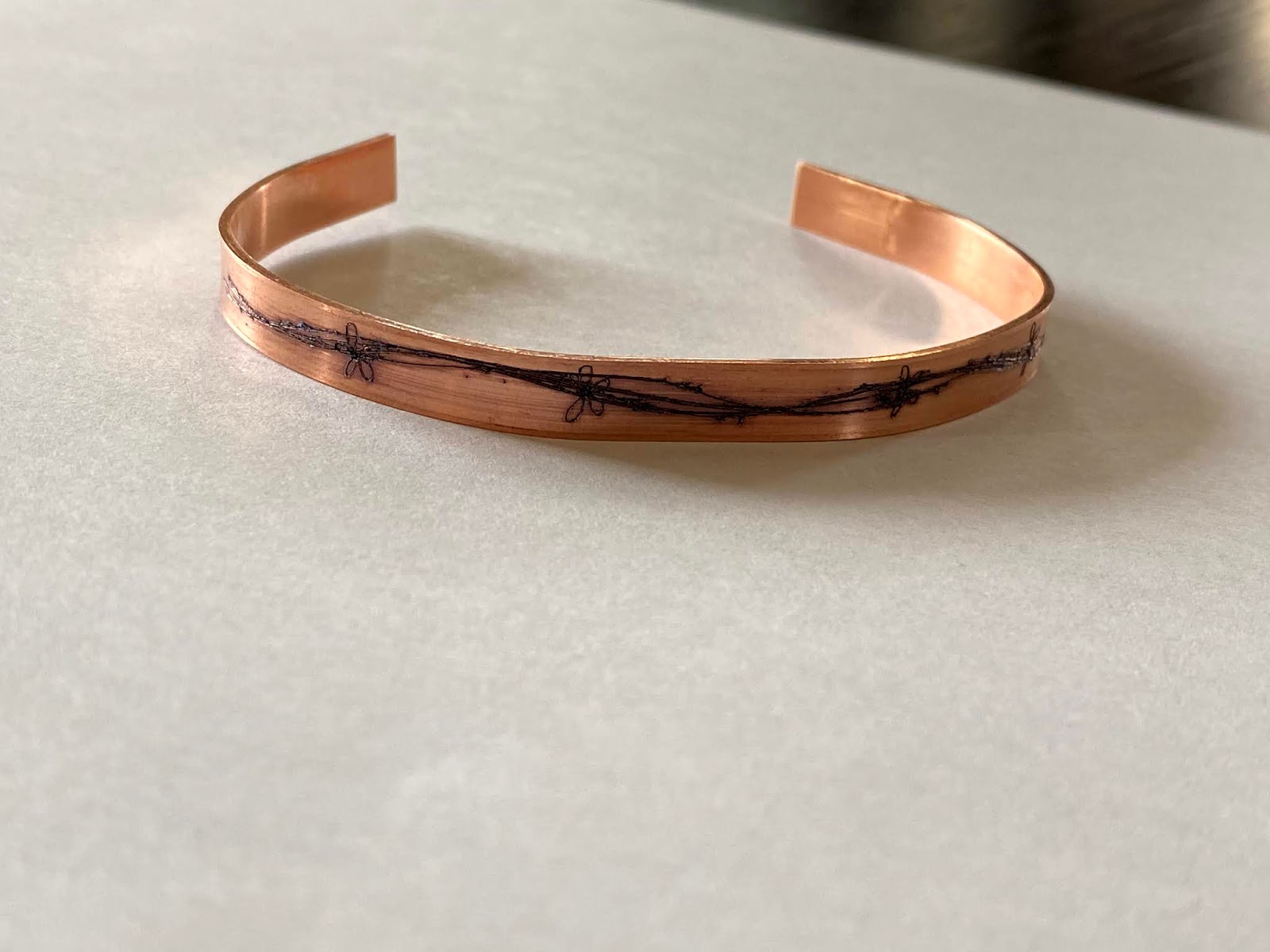
I used the Chomas Creations engraving tip in the Cameo 4 to make these cuff bracelets from ImpressArts. I used a pressure of 33, a speed of 10 and a multicut of 2. I then darkened in the top bracelet with Sharpie and rubbed the excess off with rubbing alcohol.
Like what you see? Leave a comment to let me know! Thanks Amy Chomas
Easier shopping is here!
For those that wanted easier shopping, click on the shopping tab above or visit http://www.amychomas.com/
We are now taking credit card payments, or you can still use paypal! Any questions, you can send them to amyc222@yahoo.com
Want to learn how to use your new holders? Look to the right of my blog to see everything in categories!
We are now taking credit card payments, or you can still use paypal! Any questions, you can send them to amyc222@yahoo.com
Want to learn how to use your new holders? Look to the right of my blog to see everything in categories!
Friday, May 22, 2020
Tuesday, May 19, 2020
I found a bottle opener on etsy that was under 3 mm so I gave it a go for engraving in my Cameo 4 with the Chomas Creations precision tip. It was anodized aluminum and did take multiple passes to get through. I used a pressure of 33 and speed of 3. I think it turned out cute and plan on trying on more!
I did use double sided adhesive to secure it to the mat. I just added a video to the Chomas Creations YouTube channel to help see how I did it.
https://youtu.be/D0LMEvEsGoc
You can find the Chomas Creations tools in my store www.amychomas.com
Like what you see? Leave a comment to let me know! Thanks Amy Chomas
Monday, May 18, 2020
Cuff bracelets with the Chomas Creations precision tip in the Cameo 4
Playing around today with some copper blanks I got on etsy. They are the cuff bracelets so they are flat when they go into your machine and you bend them when they come out.
I made sure to use double sided adhesive to stick them to my mat then engraved on them with the Chomas Creations precision tip. This was in the Cameo 4 but there are also engraving tips for the entire line of Silhouette machines. The design was from the Silhouette store. After I colored in the engraved design with Sharpie and used rubbing alcohol to get the extra off.
I used a pressure of 30, speed of 3 and multi cut of 4.
You can find the Chomas Creations engraving tips in my store www.amychomas.com
Like what you see? Leave a comment to let me know! Thanks Amy Chomas
Tuesday, April 14, 2020
Labels with the Chomas Creations adjustable marker holder
Organizing the pantry today and decided to make some labels for my containers using a fine point Sharpie in the Chomas Creations adjustable marker holder in the Cameo 4 to draw on vinyl from 651 Vinyl.
I drew the design first and then cut around the design for this look.
Make sure you slow the speed to 3 and lower the pressure to 1 when doing this as you can crush the tip of the Sharpie.
Ready to draw with your Cameo 4? You can find the Chomas Creations tools here... http://amychomas.com/index.php?main_page=index&cPath=1_18
Like what you see? Leave a comment to let me know! Thanks Amy Chomas
Monday, March 23, 2020
Chomas Creations engraving tip in the Explore!! Yes Explore machines!
Great news YES the Chomas Creations engraving tip for the Maker & Explore will work in the entire line of Explore machines! And you can engrave with the Explore machine! The key is to use double sided adhesive so your tag doesn't wiggle around and use the highest pressure and use a multi cut. I multi cut even 5 times to get a good look to my tags. You can find the Chomas Creations engraver in my store here... Explore tools
And right now using the coupon code getcrafty to save 10% off your order!
Like what you see? Leave a comment to let me know! Thanks Amy Chomas
And right now using the coupon code getcrafty to save 10% off your order!
Like what you see? Leave a comment to let me know! Thanks Amy Chomas
Bottle openers with Chomas Creations precision tip
I found a bottle opener on etsy that was under 3 mm so I gave it a go for engraving in my Cameo 4 with the Chomas Creations precision tip. It was anodized aluminum and did take multiple passes to get through. I used a pressure of 33 and speed of 3. I think it turned out cute and plan on trying on more!
I did use double sided adhesive to secure it to the mat. I just added a video to the Chomas Creations YouTube channel to help see how I did it.
You can get your Chomas Creations precision tip for 10% off in the Chomas Creations store using the coupon code getcrafty to help give you things to do during this time. www.amychomas.com
Like what you see? Leave a comment to let me know! Thanks Amy Chomas
I did use double sided adhesive to secure it to the mat. I just added a video to the Chomas Creations YouTube channel to help see how I did it.
Like what you see? Leave a comment to let me know! Thanks Amy Chomas
Thursday, March 05, 2020
Acrylic coasters with the Chomas Creations precision tip for the Brother Scan N Cut
I thought these mandala designs would make cool coasters! I engraved on the acrylic coasters from Craft Chameleon with the Chomas Creations precision tip. The feet come with them as well.
I set the design to draw in the software, added the coaster to my mat (yes it will work in all machines, you just have to make sure to get the right thickness of acrylic for your machine), then set the design to draw, speed of 5 pressure of 9. I did do it on the opposite side of the acrylic so if you are flipping text over make sure to flip it in the software.
The Chomas Creations precision tip for the Brother Scan N Cut is in my store here... precision tip
Wednesday, February 05, 2020
Settings for using the Chomas Creations precision & engraving tip in the Cricut machines
I added a video tutorial to YouTube for the settings using your Cricut Maker & Explore with the Chomas Creations precision & engraving tip.
Here's the YouTube video for your viewing pleasure hehe...
You can order the Chomas Creations Cricut tools here... Chomas Creations store
Like what you see? Leave a comment to let me know! Thanks Amy Chomas
Wednesday, January 29, 2020
Silhouette Cameo 4 adjustable pen holder
The Cameo 4 adjustable pen holder is coming soon to the Chomas Creations store! It adjusts to center most gel pens (the ones with the squishy grips won't fit you will need the adjustalble marker holder). I got these Gelly Roll gel pens at either Michaels, Joanns or Hobby Lobby and of course you can find them online. If you ever want to center a gel pen and cut in shadow this is your way to go.
For gel pens I slow down the speed to 3-5 and lower the pressure to around 10.
I love the look of the chalky gel pens on Kraft cardstock. You can preorder the Cameo 4 tools here... Chomas Creations
For gel pens I slow down the speed to 3-5 and lower the pressure to around 10.
I love the look of the chalky gel pens on Kraft cardstock. You can preorder the Cameo 4 tools here... Chomas Creations
Tuesday, January 21, 2020
Chomas Creations tools for the Silhouette Cameo 4 are up for preorder now!
Ask and you shall receive! After requests for tools for the new Silhouette Cameo 4 Chomas Creations has designed all new tools to fit! The machine was redesigned so these are all new and will not fit in any machines but the Cameo 4. Here is the link for the preorder and stay tuned for more projects with this new amazing machine :)
And for a preorder special get all 4 of the new tools at 15% off! Find all the tools here... Cameo 4
Like what you see? Leave a comment to let me know! Thanks Amy Chomas
And for a preorder special get all 4 of the new tools at 15% off! Find all the tools here... Cameo 4
Like what you see? Leave a comment to let me know! Thanks Amy Chomas
Friday, January 17, 2020
More info on the Brother Scan N Cut precision tip
Brother Scan N Cut Chomas Creations precision tip answers! Have questions ask here and I will edit this post to answer the rest for a go to for people trying it out! I'm still learning the machine a bit so be patient and if you know the answer please help out
:) My kids are still on Christmas break here lol!
Which machines will it work in? Works in the entire line of Scan N Cut machines
What can I engrave on? Anything that fits under the rollers. You have 2 mm clearance on the CM and 3 mm clearance on the DX. I say if it fits I'm going for it.
Acrylic, aluminum, jewelry blanks, give it a go!
What settings do you use? I've been copying and pasting my design on top of each other in the software as the way to multi cut. I use a slower speed around 4 and a pressure around 8. Make sure you select draw in the software and draw on the machine. Also when it asks for the correct tool in the machine go ahead and hit ok!
They are in stock now and shipping! Can't wait to see what everyone does with them
:)
Like what you see? Leave a comment to let me know! Thanks Amy Chomas
Subscribe to:
Posts (Atom)


